Product Updates: v2.24.0
NEW FEATURES:
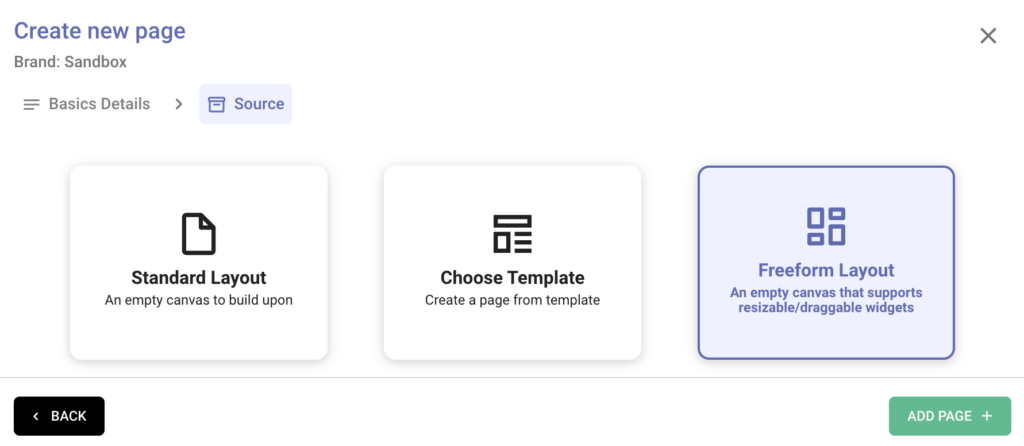
Freeform Dashboards are now LIVE:
These enable the creation of more meaningful dashboards by freely resizing and rearranging the widgets, which help convey a better story of the data to the users.
Below are the updates rolled out:
- Cards are auto-scaled based on the size of the card section.
- Widget group compatibility issues have been resolved; resizing and rearranging the widgets in a subgroup is also now available.
- Cloning a tab will retain the original layout in the newly cloned tab.
- Table widget has been made more compact by updating its styling, allowing a larger number of rows to be visible at once.
- Fixed overall usage issues across different widgets.
Reminder: They can be used while creating a dashboard, as shown below:
Conditional Formatting:
- Parameter based Calculated fields are now available to use in formatting rules.
- Transparent background option has been added.
Aggregated Datasource Support:
Any aggregated datasources (which do not have any date fields) can also be used for visualisation purposes, just like other datasources.
Time period comparison:
- For Monthly and Weekly snapshot-based data, the following comparison options have been made available
- Last Period
- Last Year
- Last Year (Month-To-Date)
- Last Year (Week-To-Date)
- Custom Time Period
- The same can be toggled either while setting up the dashboard as the default setting or while just viewing the dashboard.
STABILITY FIXES:
- Custom Metrics, which are created using Advanced functions (Ex: AVG, MIN, MAX, etc), their expected Page and Grand total values will be calculated in tables.
- While adding the cards in the cards section, the newly added cards along with their set configuration will appear instantly. Also, certain styling issues for cards’ numbers have been fixed..
- Table’s export will work as expected even for metrics with ‘Auto’ decimal setting.