Place dedicated filters at a widget level which will filter out the data only for the specific widget where they are placed on.
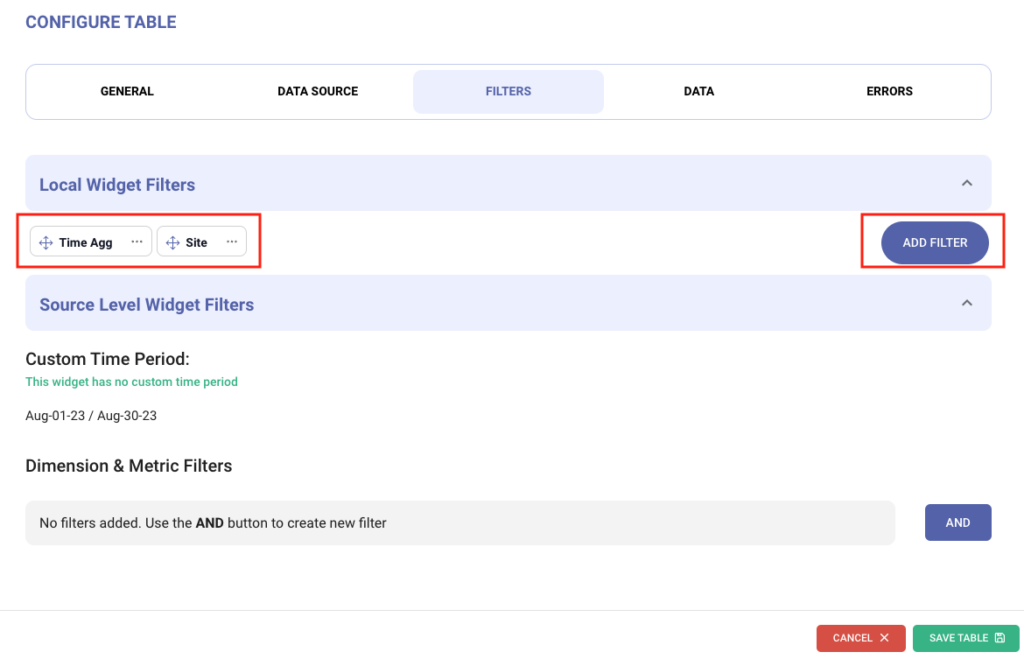
Manage the filters using the configurations introduced in the widget settings, as depicted below –
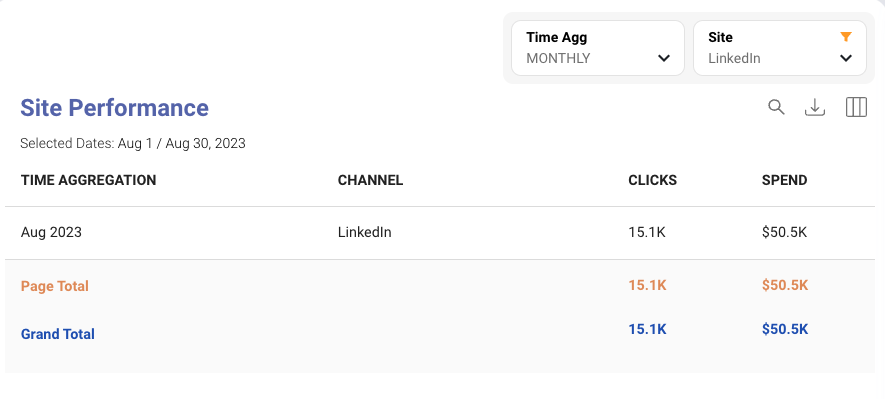
Add or edit filters and rearrange them easily from this section. Once setup, the same filters will appear on the widgets –
The conditional filters have been moved to a new section “Source Level Widget Filters”
MINOR FEATURES UPDATES:
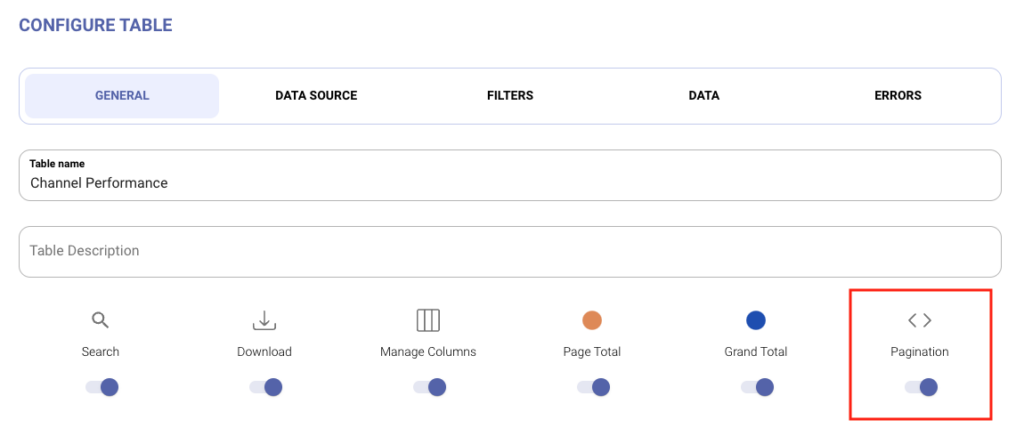
Ability to toggle the display of the pagination options for the Tables which is useful when we need to limit the results to a certain entries and not let the user access additional information.
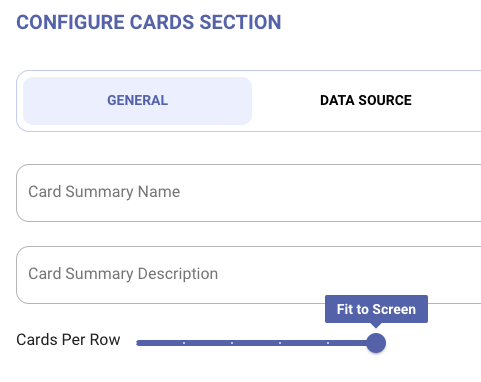
The Summary cards can now be aligned as “Fit to Screen” by default, such that they will get auto adjusted to fill the empty spaces in the cards section based on the size of the user’s screen.
STABILITY FIXES:
Improved validations in the “Forgot Password page”.
Improved error handling and fixed configuration issues in funnel chart and scatter/bubble charts.
The updated order of Live Pages is instantly observed when updated.
Dashboard editors will now be able to access other’s dashboards in review and not face access issue.
Addressed Styling issues for the following :-
Table headings on the table widget
Fixed Cards alignment
Screen for Custom data sources
Gauge meter graph
Sorting is now applicable to Time Aggregation field in the Pivot tables.
Minor issues fixed in the Contextual filters functionality.
Time period related fields formatting issues resolved when used in any widgets as well as in the downloaded xlsx files.
Added an extra validation for avoid publishing duplicate pages live which have the same name.
FEATURES IN UPCOMING RELEASES:
KPI Monitoring System [Beta release]:
A proactive and automated way to monitor key KPIs and send notifications either when the outliers identified or provide regular KPI updates. Stay tuned to know more!
Widget level local filters for other charts:
This enhancement is presently rolled out for table widget and will be made available in other charts in the coming days.
Contact Us
You can reach out to the DASH Support team to get to know more or to know how to use
DASH as a visualization tool for any account!